






Latest News
Scam Alert
First Citizens Bank has been made aware of scam callers falsely claiming to represent our Fraud Department. These individuals may “spoof” our phone number to make the call appear legitimate.
The caller may:
• Claim there is suspicious activity on your account
• Ask you to confirm account numbers, debit card numbers, or online banking credentials
• Request a one-time passcode sent to your phone
• Ask you to move money or “secure” your account
These calls are fraudulent.
What You Should Know
First Citizens Bank will never:
• Ask for your online banking password
• Ask for your full debit card number
• Ask for your secure access codes or one-time passcodes
• Ask you to transfer money to another account for “protection”
If you receive a suspicious call or text:
1. Do not provide any information.
2. Do not share access codes sent to your phone.
3. Hang up immediately.
How to Safely Contact Us
If you believe there may be legitimate fraud on your account, please contact our Fraud Department directly using the official number listed:
• On the back of your debit card
• On our website
• Or by calling our main office
Always initiate the call yourself using a trusted number.
⸻
Protecting your financial security is our priority. If you have any questions or concerns, please contact us directly using the official contact information listed above.
Stay vigilant and thank you for banking with First Citizens Bank
Scam Alert
First Citizens Bank has been made aware of scam callers falsely claiming to represent our Fraud Department. These individuals may “spoof” our phone number to make the call appear legitimate.
The caller may:
• Claim there is suspicious activity on your account
• Ask you to confirm account numbers, debit card numbers, or online banking credentials
• Request a one-time passcode sent to your phone
• Ask you to move money or “secure” your account
These calls are fraudulent.
What You Should Know
First Citizens Bank will never:
• Ask for your online banking password
• Ask for your full debit card number
• Ask for your secure access codes or one-time passcodes
• Ask you to transfer money to another account for “protection”
If you receive a suspicious call or text:
1. Do not provide any information.
2. Do not share access codes sent to your phone.
3. Hang up immediately.
How to Safely Contact Us
If you believe there may be legitimate fraud on your account, please contact our Fraud Department directly using the official number listed:
• On the back of your debit card
• On our website
• Or by calling our main office
Always initiate the call yourself using a trusted number.
⸻
Protecting your financial security is our priority. If you have any questions or concerns, please contact us directly using the official contact information listed above.
Stay vigilant and thank you for banking with First Citizens Bank
Mobile Banking Update
Notice to All Mobile Banking App Users
We are pleased to announce that our mobile banking app has recently been updated with important security enhancements and performance improvements. To ensure the best experience—full functionality, performance, and security—your device must be running a supported operating system (iOS 17 or Android 9)
If your device does not meet minimum system requirements, you will not be able to use the mobile app. We strongly encourage you to verify your device’s compatibility and update the operating system (or upgrade the device).
Supported Apple Devices
To run iOS/iPadOS 17.0 or later, Apple devices must meet certain model-requirements. Below is a summary of compatibility.
iPhone devices that support iOS 17
Models compatible include (but may not be limited to):
- iPhone XS & XS Max, iPhone XR
- iPhone 11, 11 Pro, 11 Pro Max
- iPhone SE (2nd generation)
- iPhone 12 series: 12, 12 mini, 12 Pro, 12 Pro Max
- iPhone 13 series: 13, 13 mini, 13 Pro, 13 Pro Max
- iPhone 14 series: 14, 14 Plus, 14 Pro, 14 Pro Max
- iPhone 15 series: 15, 15 Plus, 15 Pro, 15 Pro Max
iPad / iPad OS devices
For tablets running iPadOS 17, supported models include (at a minimum):
- iPad (6th generation) and later
- iPad Air (3rd generation) and later
- iPad mini (5th generation) and later
- iPad Pro (2nd generation) and later
Please note: Even if your model is listed above, some features may be limited on older hardware.
How to Identify Your Device and OS Version
- Unlock your device and open the Settings app.
- Tap General.
- Tap About.
- On iPhone/iPad you’ll see “Model Name” (e.g., “iPhone 11 Pro” or “iPad Air (3rd generation)”).
- You’ll also see “Software Version” (e.g., “iOS 17.2”).
- Verify:
- If the model is one of the supported models listed above and the Software Version is 17.0 or higher → compatible.
- If not, you will need to update and/or upgrade the device.
To update your OS: From Settings → General → Software Update, download and install the latest version if available.
Supported Android Versions
The mobile banking app supports devices running:
- Android 9 (Pie)
- Android 10 (Q)
- Android 11 (R)
- Android 12 (S)
- Android 13 (Tiramisu)
- Android 14
- Android 15 (when available)
Most Android phones and tablets released in 2018 or later meet this requirement.
How to Check Your Android Version
- Open the Settings app on your phone or tablet.
- Scroll down and tap About phone (or About tablet).
- Tap Software information or Android version.
- Look for Android version — it will show a number such as 9, 10, 11, 12, or higher.
- If your version is 9 or above → your device is compatible.
- If it’s 8 or below → the app will not be supported.
To update your Android version:
Go to Settings → System → Software update → Check for updates, then follow the on-screen instructions.
Scam Alert
Be aware of scam calls from 1-888-323-4732 claiming to be from First Citizens Bank. Please do not give them any personal information.
Access For You

OUR SERVICES

OUR BANK

LEARN MORE
NEWS & ALERTS

View Our Rates

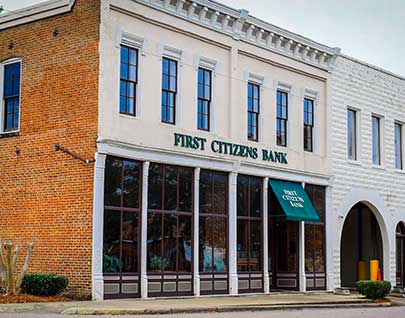
First Citizens Bank has been growing with the community since 1980 – proudly serving the needs of Crenshaw, Butler, and Lowndes Counties in Alabama.

Quick Links
Company Details
Phone: (334) 335-3346
24-hour Customer Service:
(334) 335-5506
Mailing Address
P.O. Drawer 271
100 West Third Street
Luvurne, AL 36049


© 2026 First Citizens Bank. All Rights Reserved.